
Gauge overall opinion
Ask “Sort these into for, against and questions, and give three typical comments for each” to get an overview of hundreds of comments.
Comment sections only show more when you scroll down or click “Show replies”. Grab All Files scrolls the page to the end for you, opens the hidden replies, and saves every comment in one HTML file. You can read the file offline or give it to an AI to find patterns across hundreds of comments.
See a real saved comments file →
Free: one page per run. There is no limit on the number of comments; it asks whether to keep reading every 1,000 posts. Combining comments from several pages into one HTML file is Pro ($19.99 one-time).
Open the comments
Load to the end
Save as one HTML file
comments.html
└ Comments and replies
Free saves one page at a time; Pro combines the comments from several pages into one HTML file. Available in Grab All Files 5.8.54 and later.
A file actually saved by Grab All Files from a fictional page hosted on this site, using version 5.8.55 as released in the stores, loaded in Firefox with Free plan settings. The settings used and the file’s hash are listed.
Kept
May not be kept
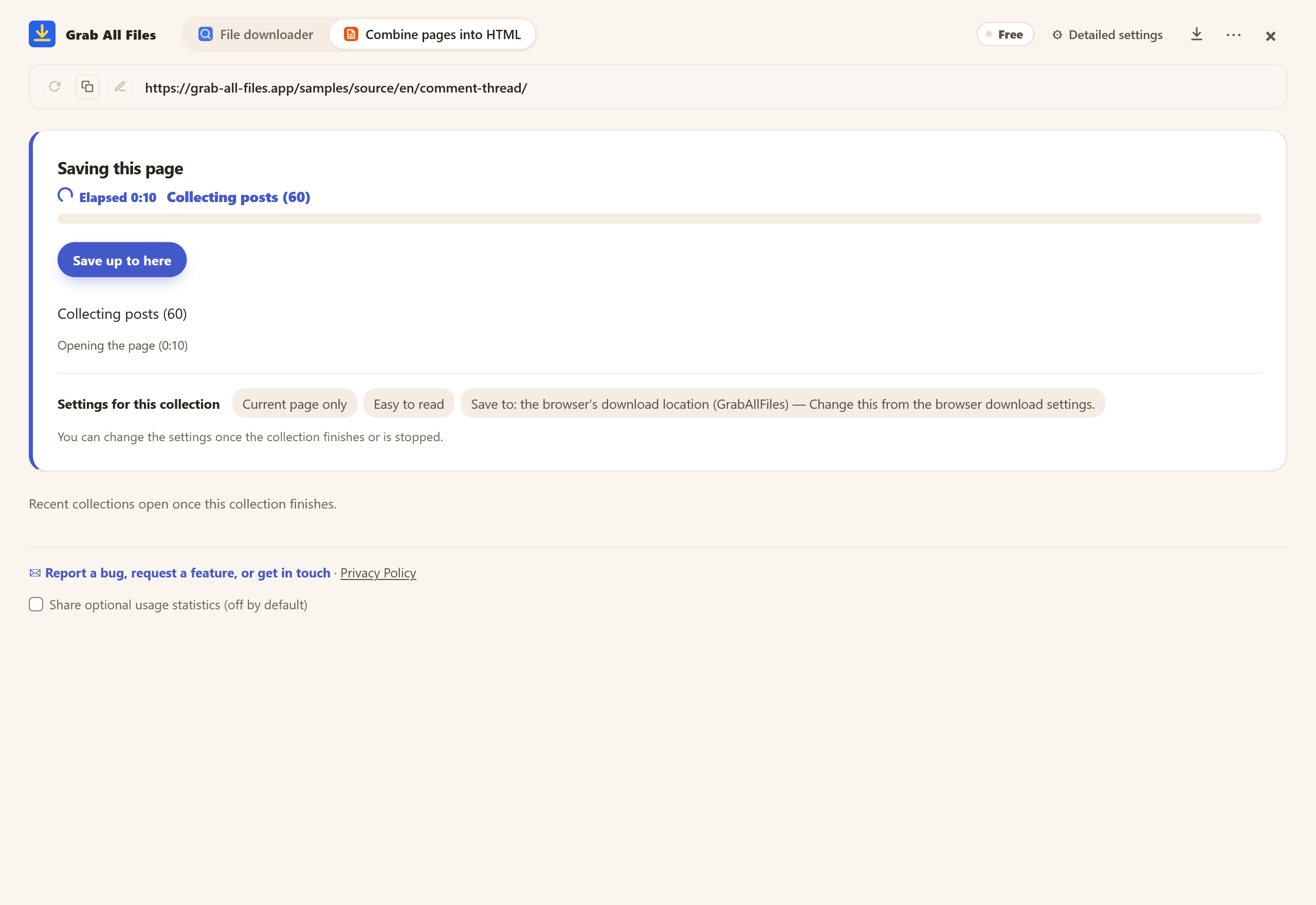
Actual extension screen using sample materials. Saving a comment section with “Current page only”; the screen shows how many posts have been loaded. A Free example with one selected page, showing settings and controls before saving. Pro combines multiple selected pages as described in this guide.
Open the full-size image ↗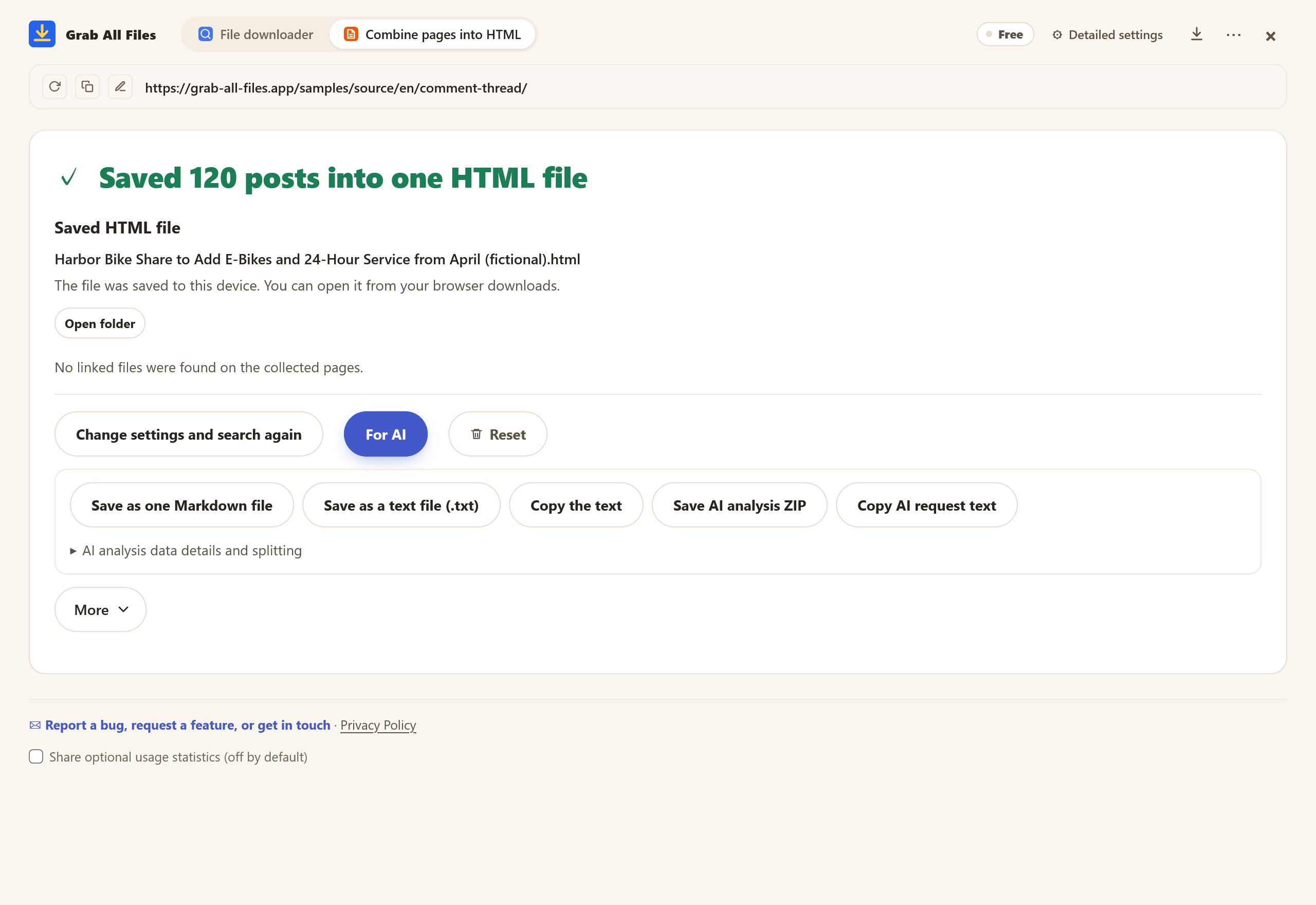
Copy the text of the saved comments, or save it as one Markdown or text (.txt) file.
Open the full-size image ↗




Pictures and names are the extension’s own cards.
Ask “Sort these into for, against and questions, and give three typical comments for each” to get an overview of hundreds of comments.
Have the AI list the requests, complaints and praise that keep coming up in comments about a product or service, most frequent first.
The replies are included, so you can ask where opinions split and how the conversation unfolded.
The saved HTML keeps every comment as it was. If an AI summary seems off, open the original comments and check.
Saves the replies on a single post’s page, or the posts on a timeline, as far as scrolling loads them. Promoted posts (ads) are left out.
Loads a video’s comment section to the end and clicks “N replies” and “Show more replies” to open the replies.
Saves a thread’s comments, including replies to replies, and clicks “more replies” and “View more comments” for you. Subreddit post lists can be saved too.
Saves post threads and profile post lists. With Pro, pages behind “Read more replies” are followed too, even with “Current page only” selected.
Opens “N replies” and “More” on an article’s comment list. With Pro, the second page onward is collected too, even with “Current page only” selected.
Timelines and comment sections that load more as you scroll can sometimes be scrolled to the end and saved. Depending on how a site is built, its reply buttons may not get clicked.
| Free | Pro ($19.99 one-time) | |
|---|---|---|
| Save one page’s comments and replies to the end | Yes | Yes |
| Open hidden replies automatically | Yes | Yes |
| Limit on the number of comments | None (asks every 1,000 posts) | None (asks every 1,000 posts) |
| Comment lists split over several pages (Yahoo! News page 2 onward, etc.) | First page only | Follows the next pages too |
| Comments from several posts or videos in one HTML file | One page per run (add pages one at a time to the HTML saved last time) | Yes, with contents and search |
| Use with AI (copy the text, Markdown, .txt) | Yes | Yes |
We’ve tested it on live pages for X (formerly Twitter) posts and replies, YouTube video comments, Reddit threads, Bluesky threads and profiles, and Yahoo! News article comments. On other sites, lists that load more as you scroll can sometimes be scrolled to the end and saved as well.
Yes. The reply buttons are clicked for you on YouTube (“N replies”, “Show more replies”), Reddit (“more replies”, “View more comments”) and Yahoo! News (“N replies”, “More”). With Pro, replies that continue on another page, such as Bluesky’s “Read more replies”, are followed too, even with “Current page only” selected.
No. Every 1,000 posts, it asks whether to keep going or save what it has so far. If you don’t answer within 10 minutes, it saves the comments loaded up to that point. When scrolling stops bringing in new comments, it treats the page as finished.
Yes. Loading comments to the end and opening replies work the same on Free and Pro, and we’ve confirmed that the Free plan saves YouTube, Reddit and Bluesky comment sections in full. The difference is how many pages you can save at once: Free saves one page at a time, while Pro combines several pages into one HTML file. Where comments are split across several pages, as on Yahoo! News, Free saves only the first page.
On X, promoted posts (ads) in the timeline and among replies are recognized and left out. The post you opened is kept.
This page covers saving comments and replies as a page. The video file itself is not downloaded.
It saves the comments your browser can display. Members-only comments and others hidden behind a sign-in are not included. On YouTube, the saved count can be slightly lower than the comment count shown under the video, because that number also counts replies that signed-out visitors cannot see.
No. The comments are read in your own browser and saved on your computer. You decide which AI service, if any, gets the copied or saved text. Before sharing or publishing other people’s posts, check each site’s terms and respect the rights of the people who wrote them.
Even on the Free plan, you can load all the comments and replies on one page and save them in one HTML file. Pro ($19.99 one-time) combines comments from several posts or videos into one HTML file. Everything is loaded and saved in your own browser, and nothing is sent to our servers.