
Turn related web pages into one HTML file with contents and search.
Check the pages you need, put them in order, and combine them into one HTML file you can read back with a table of contents and text search. Free saves one selected page; combining several pages is a Pro feature. Open the saved sample to try moving between pages and searching.
Open a real multi-page HTML file →
Free: one page per run. Combining several pages into one HTML file is Pro ($19.99, one-time).
Real output samples
Files actually saved by Grab All Files 5.8.31 from fictional pages hosted on this site, with the settings used and each file’s hash. Free samples come from the released build; Pro samples from a developer build of the same source.
Combine pages into HTML in the extension
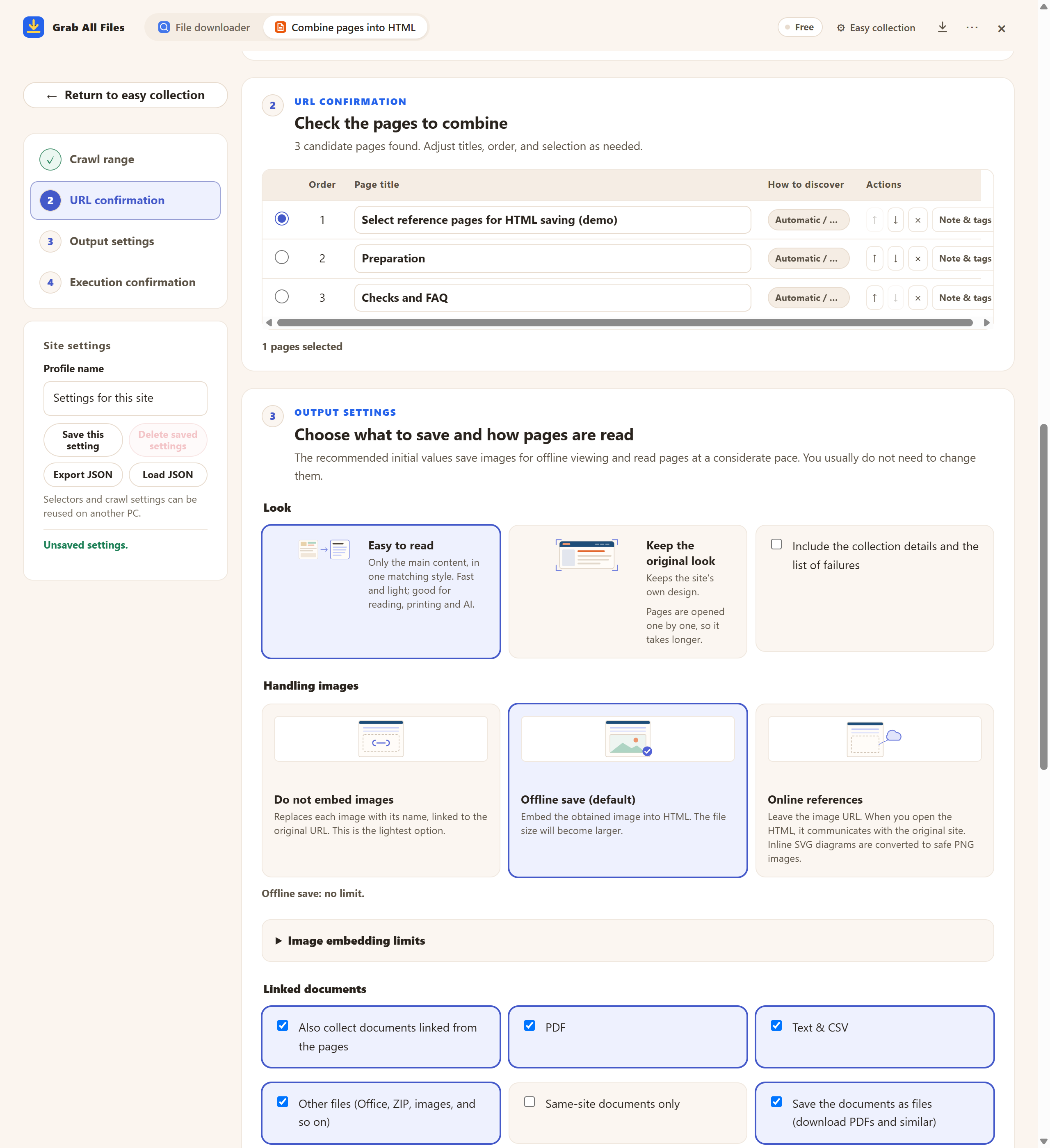
Actual extension screen using sample materials. Page candidates and one-page HTML selection. A Free example with one selected page, showing settings and controls before saving. Pro combines multiple selected pages as described in this guide.
Open the full-size image ↗Settings you can choose — pictures from the extension





Pictures and names are the extension’s own cards.
Best for
- ✓Research, documentation, manuals, and reference sites spread across many pages.
- ✓Saving related articles or public information as one portable offline document.
- ✓Creating a searchable, printable archive with clear source links.
- ✓Preparing optional source-tracked Markdown, JSONL, manifest, and table exports for AI analysis.
Workflow
- 1Open the starting page, click the Grab All Files icon and choose “Combine pages into HTML”.
- 2Under “Collection scope”, keep “Only the open page”, or choose “Also find the pages it links to” to list related candidates.
- 3Review the candidates. Free keeps exactly one selected and saves it per run; with Pro you can pick several pages, remove them and change their order.
- 4Choose the image and linked-file options and save. Pro creates one HTML with a shared table of contents and search across all pages.
Guides for nearby tasks
- Save manuals & knowledge pagesA multi-chapter manual kept for training or daily reference
- Pages with the original designPages where layout and colours matter more than the text
- Local HTML files into oneWhen the HTML files are already on your computer
FAQ
Can I choose which pages to include?
Yes. Free keeps exactly one candidate selected at a time. Pro lets you select multiple pages, remove what you do not need, and reorder the rest.
Can I read the result offline?
Yes. Embed images for offline reading, or keep online references for a smaller HTML file. Linked documents can also be saved alongside it.
Is page content uploaded to your servers?
No. Page discovery, collection, and HTML generation run on your device. Free saves exactly one chosen candidate; Pro combines multiple selected page bodies. Safety, authentication, permission, source-site, and device-protection limits still apply.
How is this different from a one-page saver such as SingleFile?
One-page savers preserve the page currently open. Grab All Files can discover related pages, let you review and reorder them, and combine the selected readable content into one HTML file with a shared table of contents.
What if a page needs me to sign in?
Collection uses your own browser session and does not collect credentials. If a page is marked “Sign-in needed”, press “Open the site to sign in”, sign in in that tab, then press “Resume”. Pages that still need a sign-in are not saved, and the result says how many were left out.
Why is some text missing from the saved page?
Some sites add text only after you scroll or click. Open “If a page is missing text: content and JavaScript settings”, turn on “Press ‘Show more’ to include the continuation”, and collect again. If the wrong part of the page was kept, use “Select on screen” there to pick the main text.
Related use-case guides
Save one related page free—or combine several with Pro.
Discovery and HTML generation stay on your device. Free lists related candidates and saves exactly the one page you choose; images on that page have no plan-based count cap; directly linked files are saved up to 10 per run, and “Save the next 10” on the result screen saves the rest. Pro selects multiple candidates and combines their readable page bodies into one HTML. Safety and source-site limits apply.