
You read it or print it, and want the source in view
“Keep the original look” with “HTML with contents and search”. The URL and the time are under each title, so a printout shows them.
Whether a saved page tells you where it came from, and when, depends on the look and the form you chose. In some combinations the URL and time are printed under each page title. In others they sit in a comment inside the HTML, or in the Markdown text, or they are not recorded per page. The table below lists each one.
| Look and form | Where they are | Visible when you open the file |
|---|---|---|
| “Keep the original look” + HTML with contents and search | Under each page’s title: the original URL as a link, and the capture time | Yes, on screen |
| “Keep the original look” + Separate HTML pages (ZIP) | A comment at the top of each HTML file: the url and the saved date | No. You see it in the page source |
| “Keep the original look” + Vertically joined HTML (for printing) | HTML comments with the title, the URL and the saved date | No. You see it in the page source |
| “Easy to read” | No line with each page’s original URL. The capture time at the top of the document appears only if you turn on “Include the collection details and the list of failures”, which is off by default | Only with that option on, and then only the time |
| AI Markdown (one file, per page, or full package) | source_url and captured_at on each page. chunks.jsonl and manifest.json carry both too | Yes, as text in the file |
The table covers the combinations checked for this guide. “Site copy in a folder” is not among them: it has not been checked for this, so open a saved file and look before you rely on it, as with any other combination.
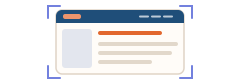
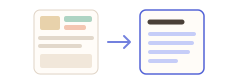

“Keep the original look” with “HTML with contents and search”. The URL and the time are under each title, so a printout shows them.
“Keep the original look” with “Separate HTML pages (ZIP)”. The URL and date are in a comment at the top of each file, and the pages are listed in index.html.
AI Markdown. Every page has source_url and captured_at as text, and so does every entry in the JSONL and the manifest.
A saved page records the address it was read from and the time it was captured. That lets you find the original again and tell an old capture from a new one. If you compare captures of the same site over time, the “Save change report vs. previous run” button writes a Markdown change report that compares the site’s last completed collection with the new one, by URL, title and text.
A file on your computer can be edited like any other file, so the URL and the time are a note kept with the page, not a seal. This guide does not say how a court, an auditor or a platform would treat such a file.
With “Keep the original look” and “HTML with contents and search”, yes: under each page title, with the capture time. With “Easy to read”, there is no URL line per page.
In a comment at the top of each HTML file, as url and saved date, when you use “Keep the original look”. It is not printed on the page.
Yes, turn on “Include the collection details and the list of failures”. It is off by default, and it adds the capture time at the top of the document, not a URL line for each page.
The AI Markdown output. Each page has source_url and captured_at, and chunks.jsonl and manifest.json have both.
With “Keep the original look” and “HTML with contents and search”, yes: the URL and the time are printed under each title. With the vertically joined form they are only in an HTML comment, so a printout does not show them.
Free saves up to 10 files per download in the file downloader, and one chosen page per run when you combine pages into HTML; that page’s linked files are saved 10 at a time with “Save the next 10 files”. Pro ($19.99 one-time, up to 3 devices) removes the per-download cap and combines multiple pages into one HTML.