
Save the pages and documents of a site you have to sign in to, using your own account.
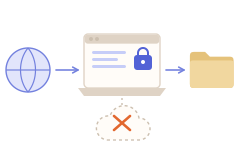
This guide is for sites where you have your own, authorized account: a member site, a supplier portal, a course you are enrolled in. Grab All Files runs inside the browser where you are already signed in, so it sees what you see. It does not sign in for you, and it cannot open anything your account cannot open.
The one condition: your own account
Use it only on accounts you are allowed to use, for material you are allowed to keep. Check the site's terms if you are not sure that saving a copy is permitted; a sign-in does not by itself grant that right.
Grab All Files uses the sign-in your browser already has. It does not collect or send your password, the value of a cookie, or anything typed into a form field. It does not automate signing in, get around a sign-in, or solve a CAPTCHA.
Steps
- 1Sign in to the site in the browser where Grab All Files is installed (Chrome, Edge or Firefox). Keep that tab open.
- 2To save documents: open the page that lists them, open Grab All Files, and use “Bulk File Download”. The files it finds are shown in a list. Filter by type, size or date, tick the ones you want, and save.
- 3To save the pages themselves: switch to “Combine pages into HTML”, choose how to look for pages (this page's links, the same path, a sitemap or pasted URLs), check the candidate list, and save. The pages are saved as your browser displays them, so content shown only after sign-in is included.
- 4If the pages link to PDF or Office files, the page collector can save them next to the pages: 10 per run on Free, 100 on Pro.
If the session expires partway through
Many sites sign you out after a period of inactivity or after a fixed time. Bulk File Download marks the affected rows, and Combine pages into HTML pauses. Both keep what they have already saved.
| Bulk File Download | Combine pages into HTML | |
|---|---|---|
| What you see | Each affected row shows that the site signed you out. | The run pauses. |
| What to do | Open the site, sign in again, and retry the failed files. | Sign in again in the site's tab, then press “Resume”. |
| What is kept | Files already saved stay on your computer. | Pages already fetched are kept. |
Where the work happens
Pages and files are read in your browser and written to your computer. They are not sent to the developer's server.
Works well
- ✓A supplier portal with price lists and drawings attached to many pages.
- ✓A members' library or a course site where you want the lesson pages and their handouts together.
- ✓Pages that are drawn by JavaScript after you sign in; the browser's rendered result is what gets saved.
Does not work
- –Pages or files your account is not permitted to open.
- –Signing in automatically, or getting past a CAPTCHA.
- –Content in encrypted or DRM viewers, or in the browser's built-in PDF viewer.
- –Streamed video; only video or audio linked as a file is saved.
Related guides
- Internal portals & LMSDocuments in an internal portal or learning system, saved as files.
- Save an entire websiteSaving many pages of a site, with the original layout.
- Download files from a pageHow the file list, filters and limits work.
FAQ
Can Grab All Files download from a site that needs a login?
Yes, if you can open the page in the same browser. It uses your existing sign-in. It does not sign in for you, and it cannot open pages your account is not allowed to see.
Does it collect or send my password or cookies?
It does not. Passwords, cookie values and form-field contents are neither collected nor sent.
Why did some files fail with a sign-out message?
The site ended your session. Open the site, sign in again, and retry the failed files. Files already saved are not lost.
Does it save the pages as well as the files?
Yes. Bulk File Download saves the files; Combine pages into HTML saves the pages, and can save linked PDF and Office files with them.
Is it all right to save everything I can see?
That depends on the site's terms and on who owns the material. Being signed in does not change that. Save only what you are allowed to keep.
Try Grab All Files on your browser.
Free saves up to 10 files per download in the file downloader, and one chosen page per run when you combine pages into HTML; that page’s linked files are saved 10 at a time with “Save the next 10 files”. Pro ($19.99 one-time, up to 3 devices) removes the per-download cap and combines multiple pages into one HTML.