
Save the video and audio files a page links to, and know what is not covered.
Some pages simply link to a file: a lecture recording as .mp4, a podcast episode as .mp3, a product demo as .mov. Grab All Files detects those links, lists them, and saves the ones you select. It does not save streamed video. Please use it only for material you have the right to keep.
Saved: files linked directly
- ✓A link or download button that points at a media file, such as lecture.mp4 or episode-12.mp3.
- ✓Video files and audio files alike. Detection is the same on Free and Pro.
- ✓Files on pages you must sign in to, if you open them in the same browser while signed in.
Not saved
- –Streams delivered in pieces (HLS with .m3u8, DASH with .mpd).
- –Videos on streaming and video-sharing sites.
- –Content protected by DRM. Protection and watermarks are not worked around.
- –Playback from a blob: address, or a player address with no file extension.
- –Recording a stream, or putting its pieces back together.
Extensions it recognizes (examples)
In the filter panel these are the categories “Video” and “Audio”.
| Category | Examples of extensions | Count |
|---|---|---|
| Video | mp4, m4v, mov, webm, mkv, avi, wmv, flv, mpeg, 3gp, ogv | 20 kinds |
| Audio | mp3, m4a, wav, flac, aac, ogg, opus, wma, aiff | 25 kinds |
The lists above are examples. Files with other listed extensions are detected too, and each file appears in the list with its type, so you can see what was found before you save anything.
Check the list before you save
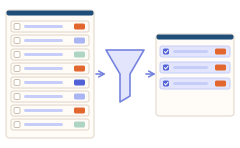
Media files are often large, so look at the list first. You can filter by type, sort by size and search by name or title.
Steps
- 1Open the page that links to the files, and sign in first if it needs one.
- 2Open Grab All Files, use “Bulk File Download” and scan the page. To reach files on pages one link away, raise the scan depth.
- 3Filter to “Video” or “Audio”. Check the sizes and names.
- 4Save the ones you selected. On Free, one download is 10 files; for the next ones, select them and press save again. Pro has no limit on the count.
- 5If the total is large, save to a folder rather than as one ZIP: a ZIP has a limit of 256 MB and is not split.
If the video you want is not in the list
If a player on the page plays the video but no file shows up, the page is often streaming it, and Grab All Files will not save it. Look for a download link or an offer from the site itself, or ask whoever published it for the file.
Rights are your responsibility. Saving a file you can reach does not make it free to reuse. Use it for recordings you made, material you license, or files the owner offers for download.
Related guides
- Download files from a pageHow the file list, filters and limits work.
- Download many files as one ZIPZIP size limits, and when a folder is better.
- What it can and cannot doThe full picture of what it does and does not cover.
FAQ
Can Grab All Files download mp4 files from a web page?
Yes, when the page links to the mp4 file directly. The file appears in the list under Video, and you select and save it.
Can it save a video from a video-sharing site, or a streamed video?
No. It does not save videos from video sites, HLS or DASH streams, or DRM-protected content, and it does not record or reassemble streams.
Does it also find audio files like mp3?
Yes. Audio files linked directly are detected under Audio, for example mp3, m4a, wav and flac.
Is there a limit on the number of files?
For 25 lecture recordings, Free saves 10, 10 and 5 in three rounds. Pro has no limit on the count.
Is it all right to download any video I find?
Only if you have the right to keep it. A file being reachable does not mean you may copy or reuse it.
Try Grab All Files on your browser.
Free saves up to 10 files per download in the file downloader, and one chosen page per run when you combine pages into HTML; that page’s linked files are saved 10 at a time with “Save the next 10 files”. Pro ($19.99 one-time, up to 3 devices) removes the per-download cap and combines multiple pages into one HTML.