
Download several files from a page as a single ZIP.
When a page offers 30 PDFs and spreadsheets, saving each one leaves 30 loose files in your downloads folder. The ZIP button in Grab All Files puts the files you selected into one archive instead. It has a size limit and it does not split archives, so read the numbers below before you pick a large set.
Where the ZIP button is
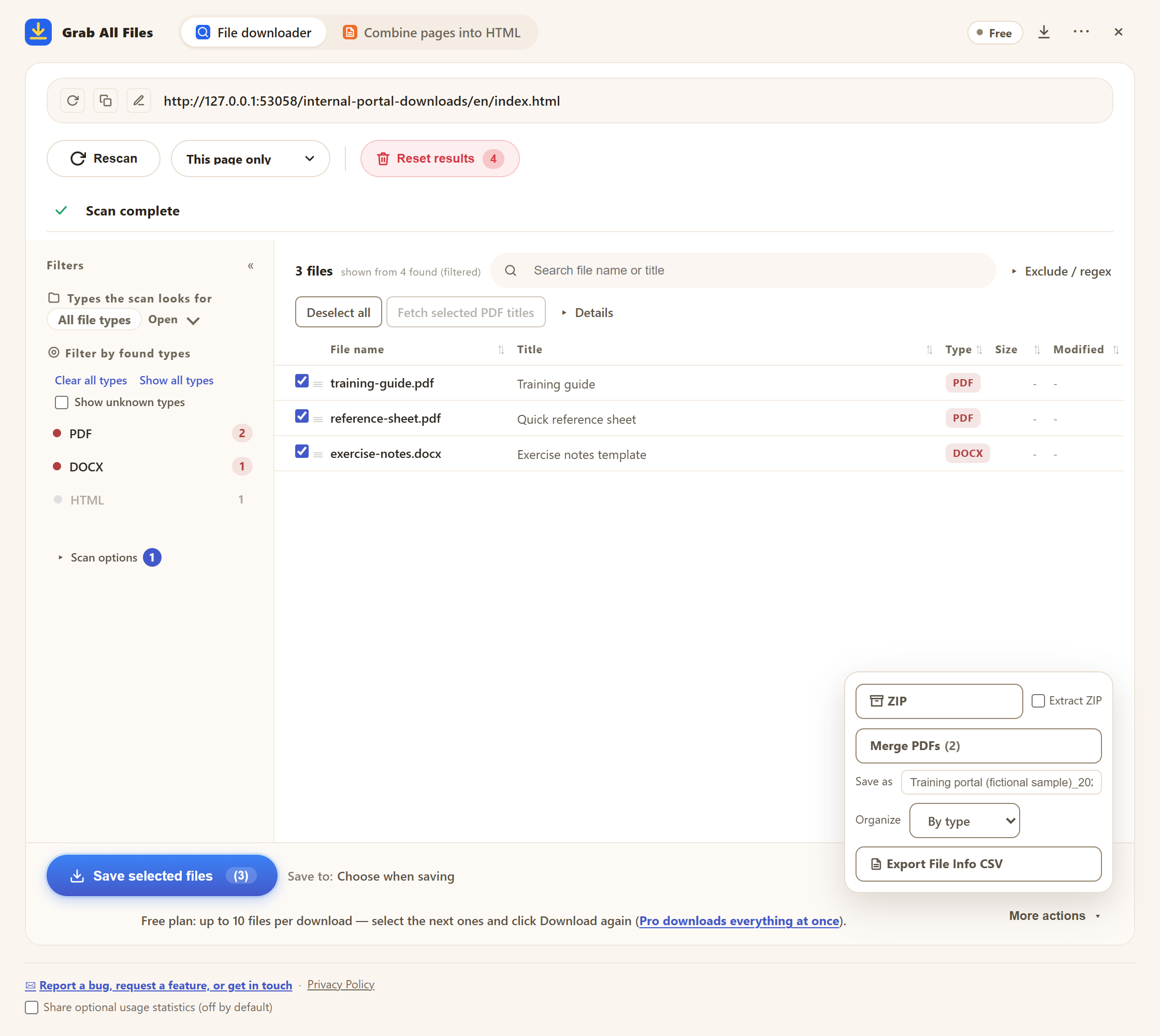
Three sample files selected on the Free plan. In the panel at the lower right, ZIP sits at the top, with PDF merge, the save name, the folder setting and CSV export below it.
The numbers
| ZIP | |
|---|---|
| Files per ZIP on Free | Up to 10, the same as one download. Select the next 10 and press ZIP again for another archive. |
| Files per ZIP on Pro | No limit on the count; the size limit below still applies. |
| Name of the ZIP | The site's host name and today's date, such as docs.example.com_2026-11-17.zip (a leading www. is dropped). |
| Confirmation | A prompt appears when the total goes over 200 MB. |
| Upper limit | 256 MB in total. |
| Over the limit | It is not split into several ZIPs. Select fewer files, or save to a folder instead. |
Steps
- 1Open the page and scan it with “Bulk File Download”.
- 2Filter the list and tick the files you want. Look at the sizes: add them up if you are near 200 MB.
- 3Press “ZIP”. Confirm if it asks about the size.
- 4Open the ZIP in your downloads folder. Free: for more files, select the next ones and press ZIP again.
A ZIP is a good choice when
- ✓You want to send or archive a set as one file.
- ✓The set is a few dozen files, well under 200 MB.
- ✓You want a tidy single file instead of many loose downloads.
Save to a folder instead when
- –The total is near or above 256 MB: videos, large drawings, scanned books.
- –You want the files sorted by type or by site, as separate folders.
- –You want to open or rename individual files right away.
ZIP is one of several outputs
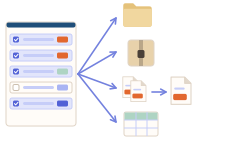
The same selection can also be saved as separate files, merged (PDF) or exported as a file list (CSV). Everything is processed in your browser.
Not to be confused with “Separate HTML pages (ZIP)”
“Separate HTML pages (ZIP)” belongs to Combine pages into HTML, the other tool. It stores saved web pages as one HTML file per page, with an index.html, inside a ZIP. The ZIP button in Bulk File Download packs files such as PDFs and Office documents as they are. The two are separate features, and the limits on this page are the ZIP button's numbers.
Related guides
- Download files from a pageFinding and filtering the files first.
- Rename & organize PDF downloadsNames and folders for what you save.
- Bulk download Word, Excel, PowerPointA typical set to pack: Office files.
FAQ
How do I download many files from a page as one ZIP?
Scan the page with Bulk File Download, tick the files, and press ZIP. You get one archive.
How many files can go into one ZIP for free?
10. A set of 30 reports becomes three ZIP files of 10: select the next 10 and press ZIP again.
What is the biggest ZIP it can make?
256 MB in total. Above 200 MB it asks you to confirm. It does not split the files into several ZIPs.
What is the ZIP file called?
The site's host name and the date, for example docs.example.com_2026-11-17.zip. A leading www. is left out.
My selection is too big for a ZIP. What now?
Select fewer files per ZIP, or save to a folder instead of making a ZIP.
Try Grab All Files on your browser.
Free saves up to 10 files per download in the file downloader, and one chosen page per run when you combine pages into HTML; that page’s linked files are saved 10 at a time with “Save the next 10 files”. Pro ($19.99 one-time, up to 3 devices) removes the per-download cap and combines multiple pages into one HTML.