
Save a page that keeps loading as you scroll: what is automatic, and what is not.
A timeline, a comment section, a product list or an image gallery adds items as you scroll, so a plain save may get little more than the first screenful. Grab All Files scrolls for you in some cases and not in others, with different limits. Find your case in the table first. None of it promises to reach the very end of every page, so check the result.
Which case are you in
| Case | What happens | Limit | Plan |
|---|---|---|---|
| “Combine pages into HTML”, on the confirmed sites (X, YouTube, Reddit, Bluesky, Yahoo! News): a feed such as a timeline or a comment section | The page is scrolled automatically until the feed ends | No cap on the number of items. After every 1,000 items it asks whether to continue; with no answer for 10 minutes, it saves what it has | Free and Pro |
| Any other long page in “Combine pages into HTML” | The page is scrolled automatically, then stops | Up to 10 scrolls by default | Free and Pro |
| “Keep the original look”, each page | The page is opened in a tab and scrolled to the bottom before it is saved, so lazy-loaded images appear | The time follows the “Scroll time” setting: 45, 90 or 180 seconds | Free and Pro |
| Bulk File Download, scanning for files | Reads only what is on screen. Scroll to the end yourself, then scan | What you have scrolled to | Free |
| Bulk File Download, scanning for files | “Scroll to the end and load”: the scan scrolls the page and follows “Next” pages of the same list | 6, 20 or 100 pages by “Scroll time” (45, 90, 180 seconds); 100 if you choose nothing. “Read the next 100 pages” continues | Pro |
Sites where feeds are confirmed
- ✓X: posts and replies in a timeline or thread.
- ✓YouTube: the comments under a video.
- ✓Reddit: posts and comments on its pages.
- ✓Bluesky: posts and replies in a feed.
- ✓Yahoo! News: the comments under an article.
Check these yourself
- –An ordinary list page stops after 10 scrolls by default, so a long product list may be cut off.
- –Text drawn only on a canvas, or inside a closed Shadow DOM, is not read.
- –A frame from another domain is read only after you allow it.
- –Pages you cannot open in your own browser, such as ones that need a sign-in you do not have.
Saving a long timeline or comment section
- 1Open the page in the browser tab where you are signed in, if it needs a sign-in.
- 2Open Grab All Files and switch to “Combine pages into HTML”. Choose the current page only.
- 3Choose the look and the form, and start the save. The page scrolls on its own.
- 4At every 1,000 items it asks whether to continue. Answer, or leave it: after 10 minutes without an answer it saves what has been read so far.
- 5Open the saved file and compare its last item with the end of the live page, and the item count with the count the page shows, if it shows one.
For a list of files on a long page
On Free, scroll the page to the end yourself, then press the scan. The scan reads what is loaded.
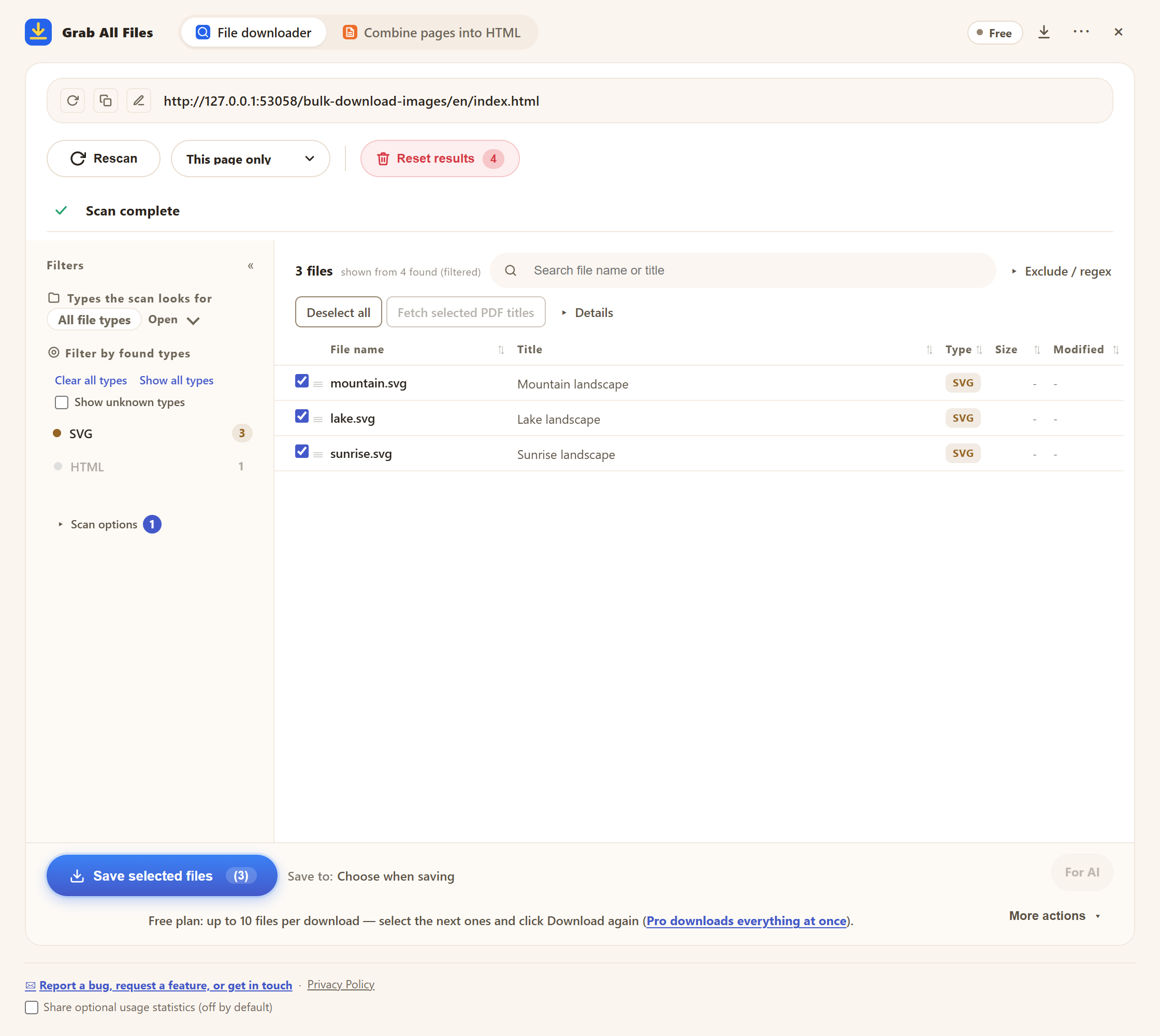
The real panel on the Free plan after a scan. “Rescan” reads the page again, for example after you have scrolled further. The note at the bottom says Free saves up to 10 files per download.
Why “to the very end” is not promised
How a page loads more items differs from site to site. The limits above are what let a run finish; they are not a guarantee that every item was reached.
So the last step matters. Compare the end of your saved file with the end of the live page. If it was cut off, run it again, or on the file side scroll further and rescan.
Related guides
- Save & analyze commentsSaving comment sections and feeds, and analysing them afterwards.
- Follow “Next” links and collectLists that use “Next” links instead of scrolling.
- Bulk-download imagesSaving the images of a gallery page.
FAQ
Can it save an infinite-scroll page to the very end?
On the confirmed sites (X, YouTube, Reddit, Bluesky, Yahoo! News), feeds such as timelines and comment sections are scrolled until the feed ends. For other pages it stops after 10 scrolls by default. Always compare the end of the saved file with the live page.
Is there a limit on how many comments or posts it reads?
Not for feeds on the confirmed sites. It asks whether to continue after every 1,000 items. If nobody answers for 10 minutes, it saves what it has read.
Do I have to scroll myself?
When saving pages, no. When scanning for files on the Free plan, yes: it reads what is on screen. Pro scans scroll the page for you.
How many pages does the Pro scan follow?
6, 20 or 100 pages, according to the “Scroll time” setting (45, 90, 180 seconds). If you choose nothing, it is 100. A button reads the next 100.
Which sites are confirmed for comments and timelines?
X posts and replies, YouTube comments, Reddit, Bluesky and Yahoo! News comments. Other sites may work, but are not on this list.
Try Grab All Files on your browser.
Free saves up to 10 files per download in the file downloader, and one chosen page per run when you combine pages into HTML; that page’s linked files are saved 10 at a time with “Save the next 10 files”. Pro ($19.99 one-time, up to 3 devices) removes the per-download cap and combines multiple pages into one HTML.